


Managing Your Subscription October 5, 2024
How to Update Your Payment Method:
Step 1:
Go to “My Account” and click “My Subscription” then click the “VIEW” button.
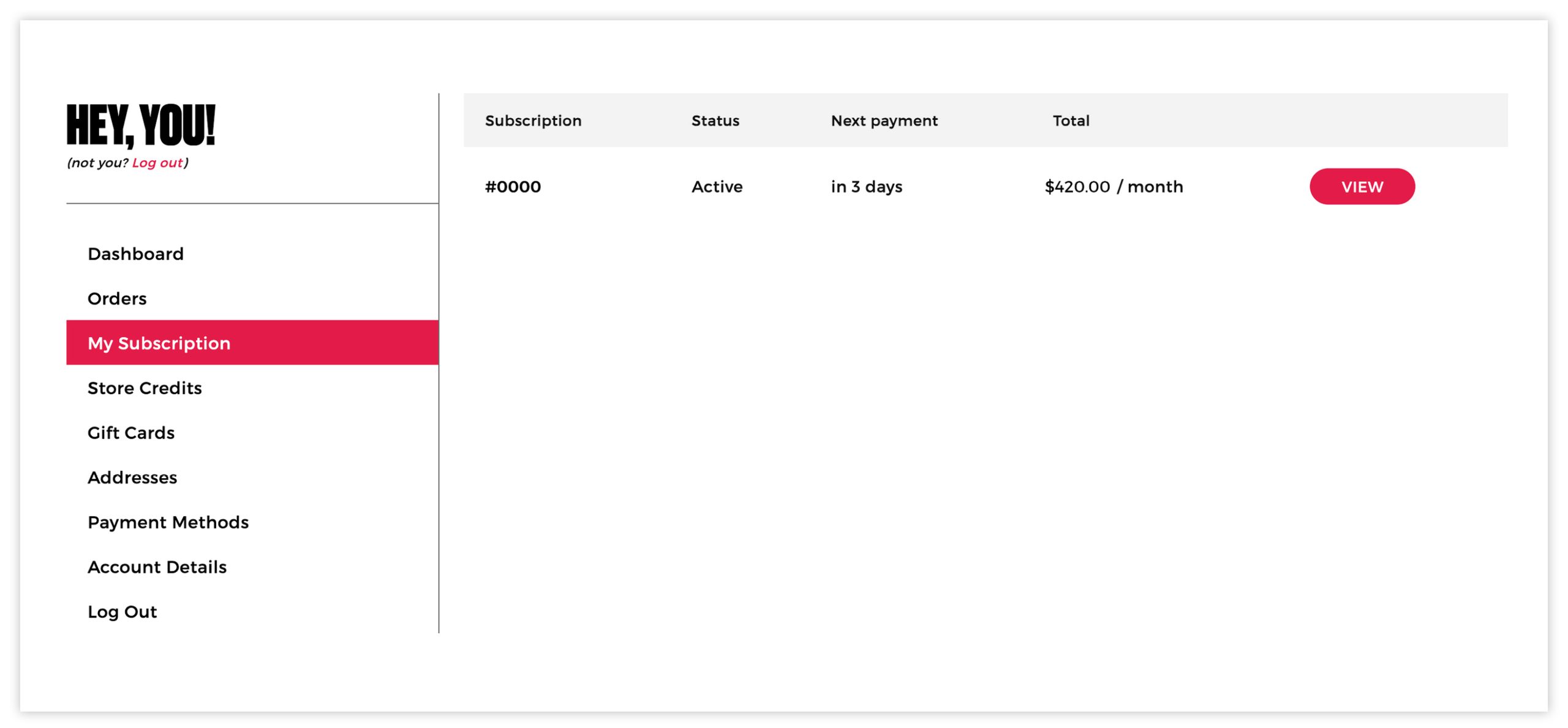
Step 2:
Click the “Add Payment” Button at the bottom of the screen
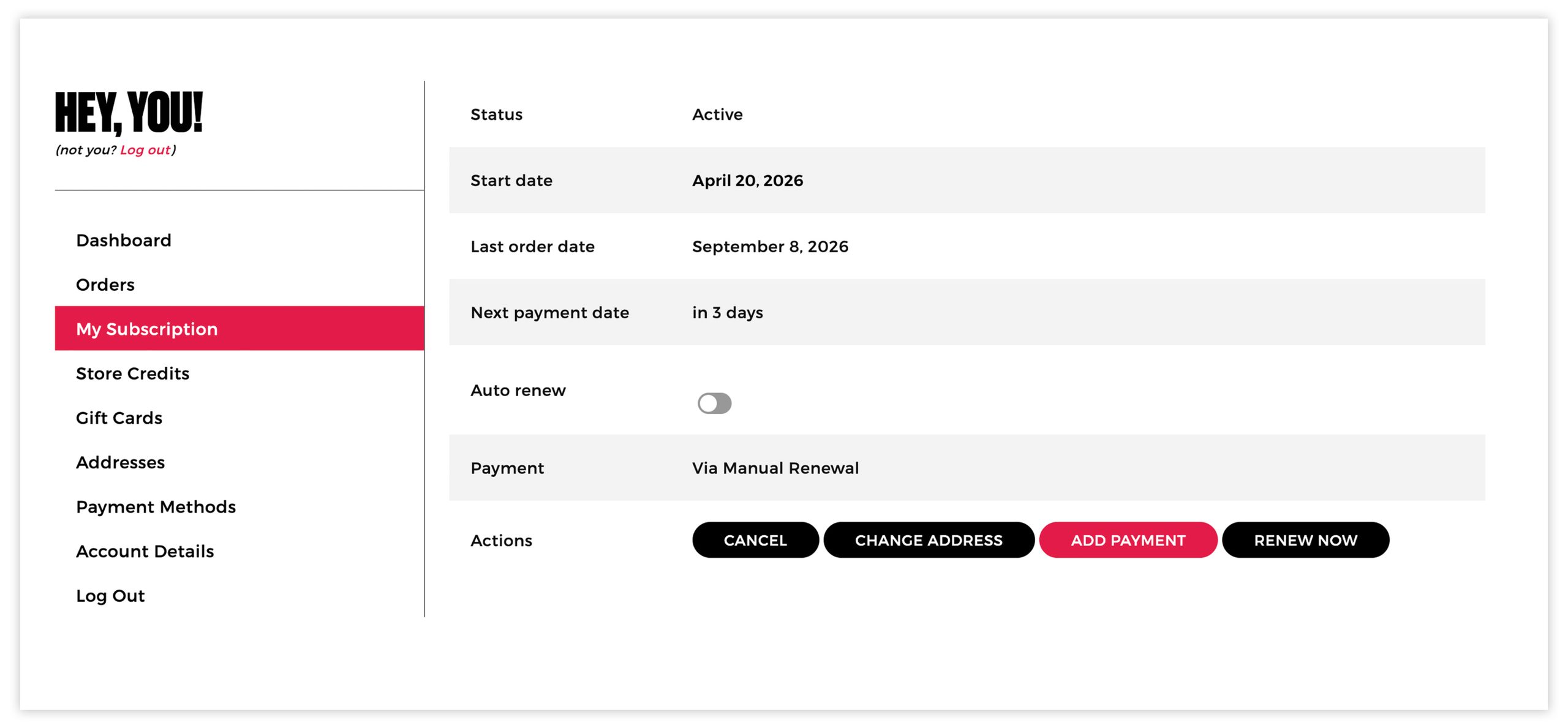
Step 3:
Enter your credit card details.
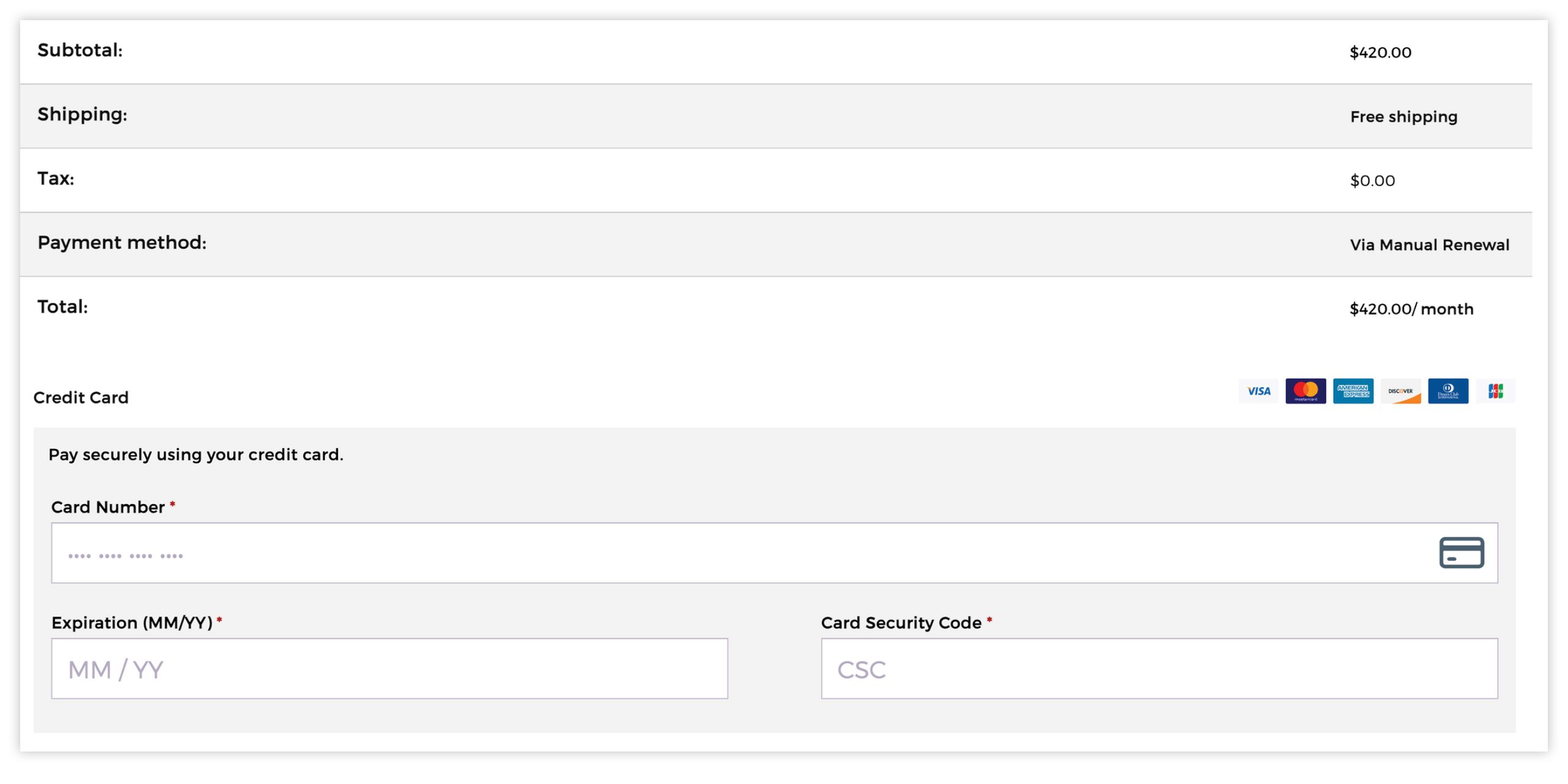
Ready to get started?
How to Turn on Auto Renew:
Once payment info is entered, you may set your subscription to Auto Renew.
Step 1:
Go to “My Account” and click “My Subscriptions” then click “VIEW” button

Step 2:
Click the “Auto renew” toggle to turn it on. That’s it!
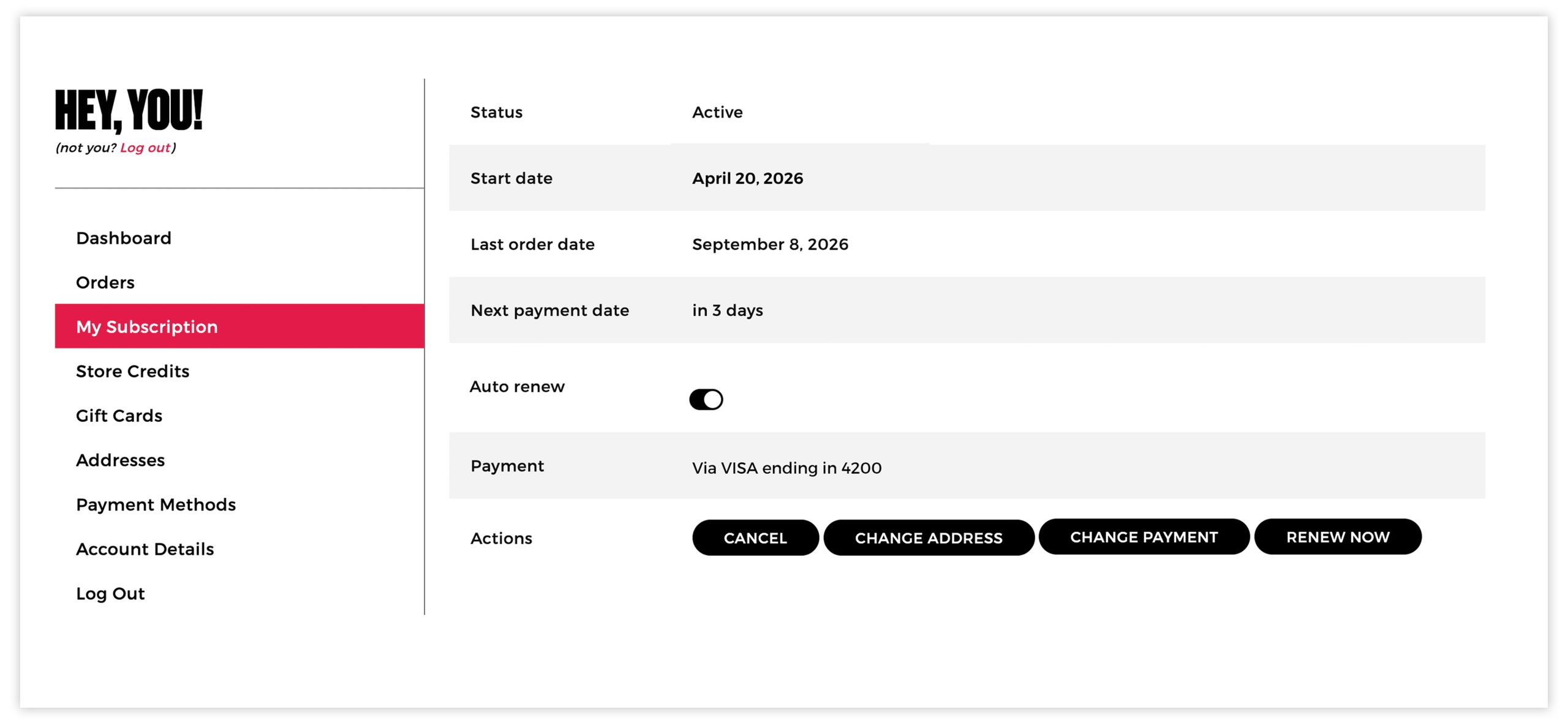
Ready to get started?
Having Issues?
Email us at [email protected] to
chat with our customer service team.
